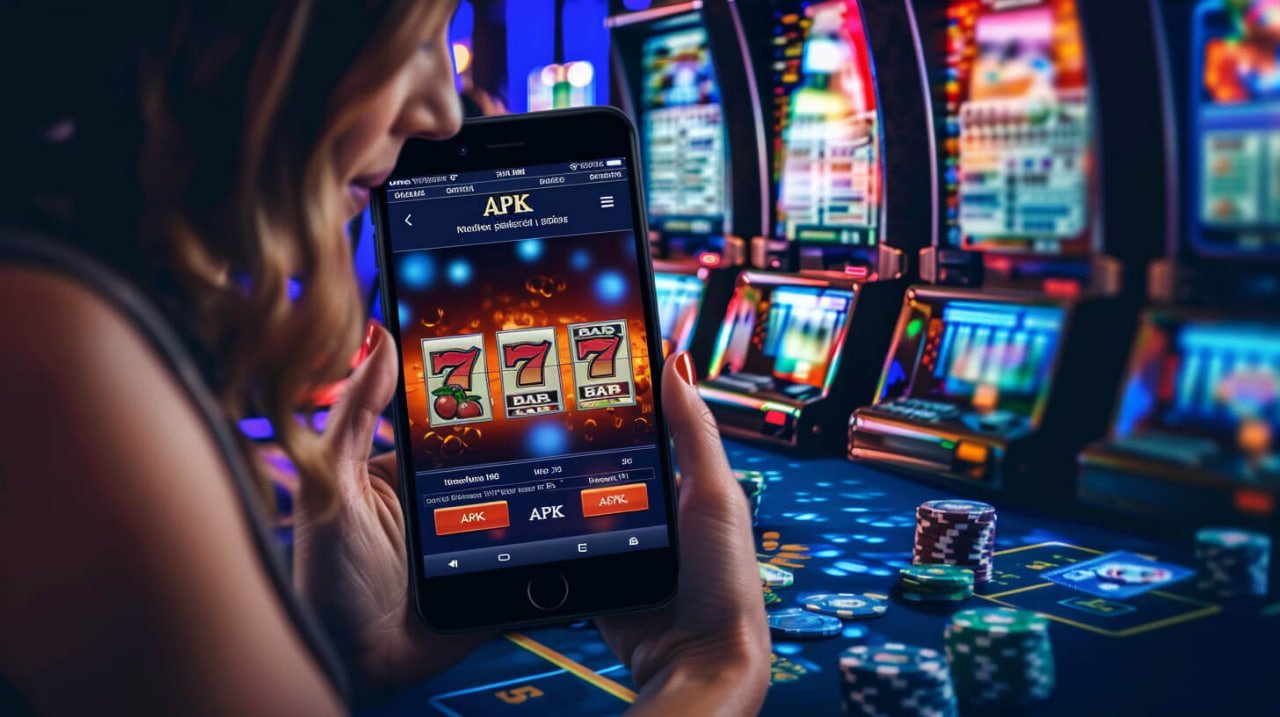
Android & iOS supported

Bd222 App — On Any Device Get the Best Gaming Experience

Whether you're on a smartphone or tablet, the bd222 app lets you enjoy casino games, Sports Betting, and slots from anywhere. The app is free to download and takes just a few minutes to install.

Android APK
v3.2.1 • 42 MB
iOS PWA
Directly from Safari
500+
Games Available
4.8★
User Rating
3 Minutes
Installation time
bd222

Download Method

Download the bd222 app for your device

Most people in Bangladesh use Android phones. For them, bd222 offers a direct APK download. iPhone users can get an app-like experience through Safari using the PWA method.

🤖
Android
Direct APK file download
Version 3.2.1 • 42 MB
  • Android 6.0 or higher
  • RAM: minimum 2GB
  • Storage: 100MB free
  • Internet connection required
Download APK
🍎
iOS (iPhone/iPad)
PWA — Add via Safari
iOS 14.0+ supported
  • iOS 14.0 or higher
  • Use the Safari browser
  • No App Store required
  • Icon will be added to your home screen
Installation guide
🖥️
Mobile Browser
Play Without Downloading
All Modern Browsers
  • Chrome, Firefox, Safari
  • No installation needed
  • All Features Supported
  • Works on Any OS
Get started now

App highlights

What you get with the bd222 app

Fast Loading

The app is optimized to load fast even on slow networks.

Live Betting

View real-time odds and place bets while the match is in progress.

500+ Games

Casino, slots, table games — all available in the app.

Push Notifications

Get instant updates on bonus offers and match results.

Biometric Login

Log in securely with your fingerprint or Face ID.

Instant Payment

Pay with bKash, Nagad, Rocket — any payment app works.

Dark Mode

Dark theme is enabled by default for a comfortable viewing experience.

In-app support

Get 24/7 support via live chat right inside the app.

Why use the app

Why the bd222 App Beats the Browser

Many people access the site through a mobile browser, but those who have tried the bd222 app know just how different the experience is. The app is fully optimized for mobile screen sizes — scrolling feels effortless, games load faster, and placing a bet takes just a single tap.

With a browser you have to log in every time, but the app lets you get in instantly using biometrics or a PIN after the initial setup. Push notifications mean you'll never miss a bonus offer — alerts come straight to your phone.

The app's edge is even clearer for live matches. Odds updates appear on screen the moment they change, and building a bet slip is quick and straightforward. The bd222 app interface is designed so you can reach any game in just two or three taps.

60% faster page load in-app
App-exclusive bonus offers every day
Instant deposits & withdrawals from the app
Live scores available directly in the app
bd222

Step-by-Step Guide

How to install the bd222 APK on Android

No worries if you can't find the app on the Google Play Store — downloading and installing the bd222 APK directly is quick and easy. Just follow the steps below.

1
Enable Unknown Sources

Go to Settings → Security and enable "Unknown Sources" or "Install unknown apps".

2
Go to Download Page

Download the APK file from the bd222 download page. File size is approximately 42 MB.

3
Open File Manager

Open your Downloads folder, find the bd222.apk file, and tap it.

4
Tap the Install button

An installation window will appear — tap the "Install" button. It'll be done within 30 seconds.

5
Log In or Register

Open the app and log in with your bd222 account, or create a new one.

Download APK

IOS guide

How to add the bd222 PWA on iPhone

On Apple devices, you can add bd222 to your home screen via PWA — no app installation needed, but it works just like a native app.

1
Open Safari

Open Safari on your iPhone and go to bd-222.onl.

2
Tap the Share button

Tap the Share icon (square with an arrow pointing up) from the bottom menu.

3
Select "Add to Home Screen"

Scroll through the share menu, find "Add to Home Screen", and tap it.

4
Confirm Name

Keep the name "bd222" and tap the "Add" button at the top.

5
Open from Home Screen

From now on, just tap the bd222 icon on your home screen and it will open just like an app.

Inside the app

Bd222 app screenshots & interface

The app's design is clean and intuitive — even on your first use, everything feels familiar.

bd222
bd222 app home screen & game lobby
bd222
bd222 live betting & sports section
🎰
Casino section

Live dealers, slots, poker — all games in one place.

Sports Betting

Cricket, football, tennis — with real-time odds.

💳
Payment Section

Deposits and withdrawals from a single screen.

Technical Specifications

Bd222 app system requirements

Subject Android IOS (PWA) Mobile Browser
Minimum OS Version Android 6.0+ IOS 14.0+ Any
Required RAM 2 GB 2 GB 1 GB
Storage 100 MB 50 MB (cache) Not Applicable
File Size 42 MB APK N/A N/A
Push Notifications ✔ Supported ✔ Supported Partial
Biometric Login ✔ Supported ✔ Face ID / Touch ID
Offline mode Partial Partial
How to update Automatic / Manual Automatic Always Up to Date

Security

How secure is your data on the bd222 app

Online gaming is incomplete without security. The bd222 app uses multiple layers of protection to keep your data and funds safe.

SSL/TLS encryption

All data transfers within the app are encrypted with 256-bit TLS.

Biometric Authentication

Log in with fingerprint or face scan — no password needed.

OTP two-factor verification

OTP verification on login and payments prevents unauthorized access.

Data Retention Policy

Card numbers and PINs are never stored on your device.

Session Management

The app automatically logs out after a period of inactivity.

Licensed Platform

Bd222 operates under an international gaming license.

FAQ

Frequently asked questions about the bd222 app

Yes, the bd222 app is completely free to download and install. The APK for Android and the PWA for iOS both come at no cost, and there are no membership fees for using the app.

On newer Android versions (8.0+), "Unknown Sources" is no longer a global toggle. Go to Settings → Apps → Special App Access → Install Unknown Apps and grant permission to your browser or file manager. On Samsung devices, you may need to allow the My Files app.

Yes, the bd222 app gives you access to every game on the website — including casino, live dealer, slots, and Sports Betting. In fact, some games and bonus offers are available exclusively to app users.

No, you don't need a separate account. If you already have a bd222 account, just log in to the app with your existing username and password. New users can register directly through the app.

Once you're logged into the Android app, you'll receive automatic notifications whenever an update is available — just tap to update in one step. Alternatively, download the latest APK from the bd222 download page and install it; it will automatically replace the older version.

The bd222 app is optimized for data efficiency. Slots and Sports Betting use very little data, while Live Dealer games consume a bit more due to video streaming. Playing over Wi-Fi is ideal, but the experience is smooth on mobile data too.

Download the bd222 app today

Install the bd222 app on any Android or iOS device and enjoy gaming anytime, anywhere. New users get a 100% bonus on their first deposit.

বাংলা